


Our score: 7.4/10
Assembly is a good fit for small to mid-size professional service firms that need a branded client portal, invoices, proposals, and basic CRM in one place. It’s especially useful if you want packaged onboarding, client-facing apps, and built-in payment tools. The main caveat: lower tiers have tight limits on users, clients and automation tasks, and richer integrations often require higher plans or custom work.
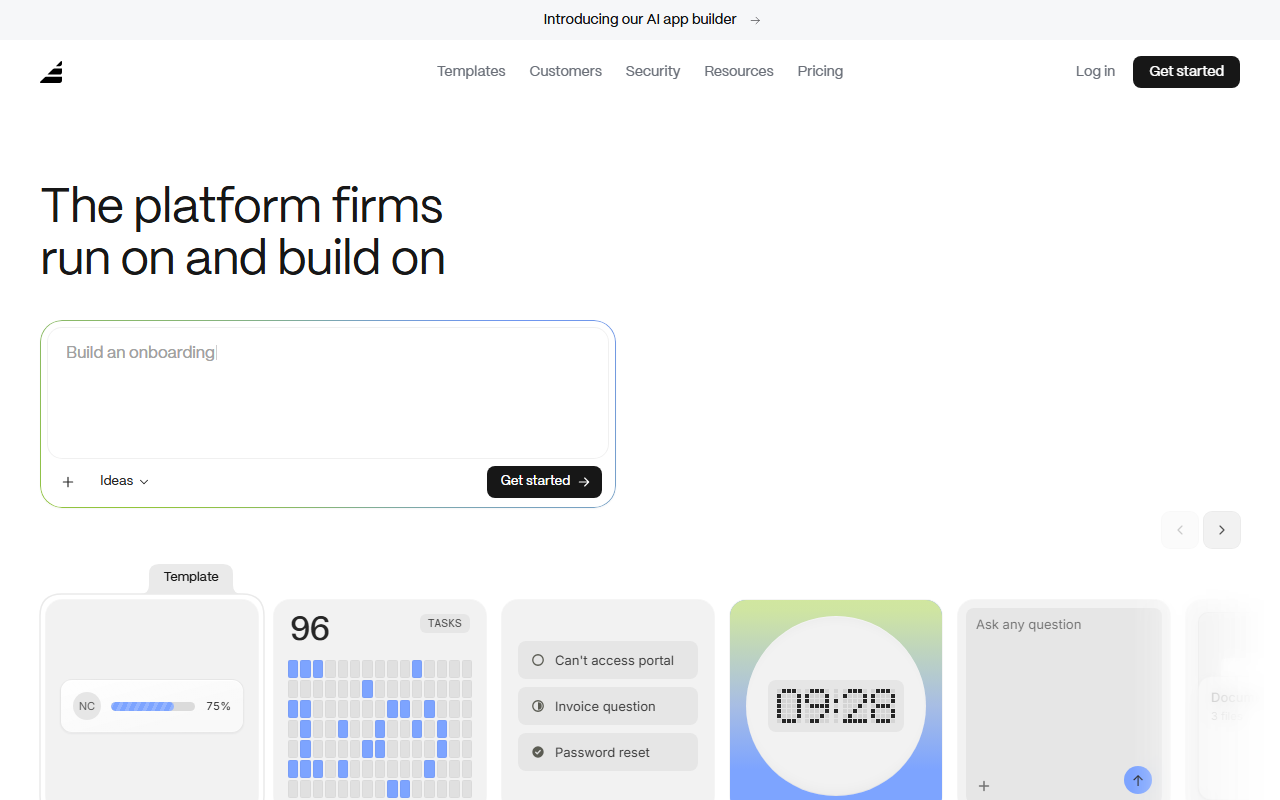
🔎 What is Assembly?
Assembly is a client portal and back-office platform aimed at professional service firms — accountants, agencies, consultants, law firms, real estate teams and similar businesses. It combines a CRM, client portal, proposals/contracts, invoicing and an AI app builder to centralize client communication and workflows.
The product emphasizes branded client experiences (custom domains and email on paid tiers), no-code integrations via Zapier/Make, and an app marketplace. It’s positioned to replace a mix of file sharing, invoicing, intake forms and basic project management tools with one platform focused on client interactions.
🧩 Key features
- Branded client portal for secure client access to messages, contracts, tasks, files and forms.
- Built-in CRM to manage clients and companies with custom fields and internal notes.
- Proposals, contracts, invoicing, subscriptions and payment links, plus low payment processing fees.
- Automation builder to automate onboarding and other workflows (automation task limits vary by plan).
- Custom Apps / AI app builder (Assembly Studio) allowing embedded web apps and app visibility controls.
- Integrations via API, Zapier, Make and embeds/links to tools like Airtable, Calendly and Looker Studio.
- Custom domain and custom email domain support on higher plans for white-labeling.
- App Store to add industry-specific or internal tools to your workspace.
💰 Assembly pricing and plans
| Plan | Price | Best for |
|---|---|---|
| Starter | Starting at $29/month | Freelancers or solo operators who need a simple branded portal |
| Professional | Starting at $99/month | Small teams that need more users, clients, and integrations |
| Advanced | Starting at $499/month | Scaling businesses that need unlimited clients and automations |
| Enterprise | Starting at $2,000/month | Complex deployments with custom user counts and support |
Assembly offers a 14-day free trial with no credit card required. Plan fundamentals include internal user seat counts (Starter: 1 internal user; Professional: 3 internal users; Advanced: 5 internal users; Enterprise: custom) and client/automation limits (Starter: 50 clients and 100 automation tasks; Professional: 500 clients and 1,000 automation tasks; Advanced and Enterprise: unlimited clients and automation tasks). Additional user seats incur per-user fees on Professional (+$29/user) and Advanced (+$59/user).
✅ Pros
- Combines client portal, CRM, billing, contracts and file sharing in one product — cuts down on tool sprawl.
- White-labeling options (custom domain and email) for a professional client experience.
- Automation builder and an app marketplace let you systematize onboarding and repeatable workflows.
- Multiple integration routes: API plus no-code connectors (Zapier, Make) and embeds for popular tools.
- 14-day free trial without a credit card, so you can test core flows before buying.
⚠️ Cons and limitations
- Starter plan is restrictive: 1 internal user, 50 clients and only 100 automation tasks — that will be too tight for most growing firms.
- Per-user fees (+$29/user on Professional, +$59/user on Advanced) can quickly increase your monthly cost as the team grows.
- Many integrations rely on embeds or third-party connectors; there aren’t always deep native integrations for every popular tool.
- Custom Apps run in iframes which can limit functionality compared with native app integrations and may require engineering to fully leverage.
👥 Who should use Assembly?
If you run a client-facing professional services firm and want a polished, centralized place to manage client onboarding, contracts, invoices and ongoing communication, Assembly is worth evaluating. It’s particularly helpful if you want branded client experiences and the ability to build simple embedded apps or automate repetitive client workflows.
Assembly isn’t ideal if you’re a solo operator who needs many integrations for free, or a large enterprise that needs a bespoke integration stack without paying for a higher plan — plan limits and per-user fees mean costs can escalate as you scale.
🔄 Assembly alternatives
- HoneyBook — simpler all-in-one client and payments tool aimed at creatives and solo service providers.
- Dubsado — client portals, forms and workflows with a longer history among small agencies and freelancers.
- Practice Ignition — strong for proposal-to-payment workflows, especially for subscription and services billing.
🏁 Final verdict
Assembly packs a useful set of client-facing and back-office features into a single platform, which makes it a practical choice for small to mid-size professional service firms that want to present a branded, centralized client experience. The AI app builder and app store add flexibility for firms that want to embed tailored tools or workflows.
Be mindful of plan limits and per-user charges: the Starter tier is intentionally limited, and the jump to more generous automation and user allowances requires paying for higher tiers or per-seat add-ons. Budget and test the automation and integration paths you need before committing.
❓ Assembly FAQ
Is there a free trial for Assembly?
Yes — Assembly offers a 14-day free trial with no credit card required.
How many users can I have on each plan?
Starter includes 1 internal user; Professional includes 3 internal users (additional users are +$29/user); Advanced includes 5 internal users (additional users are +$59/user); Enterprise has custom user counts.
What are the automation limits?
Starter includes 100 automation tasks per month, Professional includes 1,000 automation tasks per month, and Advanced and Enterprise include unlimited automation tasks.
Can Assembly integrate with my other tools?
You can integrate via API, Zapier and Make, use embeds or links to tools like Airtable and Calendly, and extend functionality with custom apps and the Assembly App Store.