


Our score: 8.2/10
Vista Social is a capable AI-first social media management tool that pairs unified publishing, engagement, and analytics with task and reputation features. It’s a good fit for small teams, agencies, and creators who want built-in AI assisted workflows and a single inbox. Main caveat: core plan pricing isn’t published and several useful features are extra-cost add-ons.
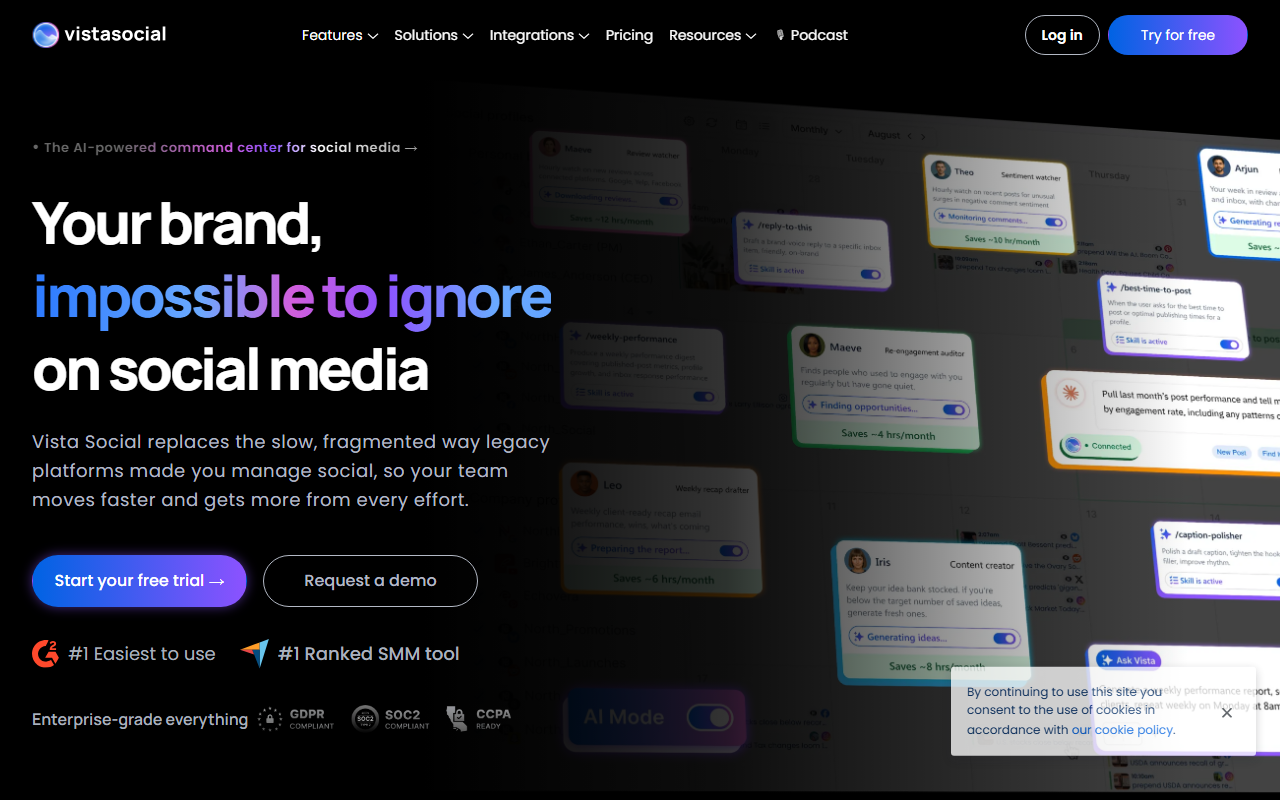
🔎 What is Vista Social?
Vista Social is a social media management platform that emphasizes AI-assisted workflows across publishing, engagement, listening, and reporting. It packages scheduling, a unified inbox, reputation (review) management, link-in-bio pages, and team collaboration features into one interface.
The product highlights an “Ask Vista” AI command center and other AI credits for generating captions and replies, and positions itself for professionals, agencies, creators, and enterprise teams that need centralized control of social activity and analytics.
🧩 Key features
- Ask Vista AI command center and AI credits for generating captions and replies.
- Publishing: visual calendar, bulk scheduling, post previews, content discovery, and approval workflows.
- Engagement: unified social inbox for comments, messages, and review management.
- Listening: free for social profile content; extended listening across social, web and news is an add-on.
- DM Automations to auto‑reply to comments and messages.
- Analytics and customizable reporting with scheduled reports.
- Vista Page link-in-bio and landing pages for creators and brands.
- Employee Advocacy and Vista Work (projects & tasks) to coordinate teams and campaigns.
💰 Vista Social pricing and plans
| Plan | Price | Best for |
|---|---|---|
| Professional | not published (Try free for 14-days) | Professionals and small teams needing collaboration tools and reporting |
| Advanced | not published (Try free for 14-days) | Teams and agencies looking for advanced features and power tools |
| Enterprise | custom quote | Large organizations with needs beyond standard plans |
| Listening (add-on) | starts at $75/month | Listening across social, web and news |
| Employee Advocacy (add-on) | Pricing starts at $199 per month for 25 employees | Programs to amplify content via employees |
Vista Social lists plan feature limits (for example, the Professional plan connects up to 15 social profiles and 2 users; Advanced supports up to 30 profiles and 4 users) but does not publish base monthly prices for core plans on the pricing page. Yearly billing is available and billed annually with a stated 20% savings versus monthly. Several important capabilities (expanded listening, employee advocacy) are charged as optional add-ons.
✅ Pros
- Built-in AI tools (Ask Vista and AI credits) to accelerate caption and reply generation.
- Comprehensive feature set: publishing, engagement, analytics, reviews, and link-in-bio tools in one product.
- Unified inbox and DM automations reduce inbox workload and help scale engagement.
- Useful for agencies and multi-client workflows with approval processes and reporting.
- Flexible reporting and scheduled reports for ongoing measurement.
⚠️ Cons and limitations
- Core plan prices are not published on the pricing page, so you’ll need to request pricing or start a trial to learn cost.
- Several key capabilities are extra-cost add-ons (listening across social/web/news starts at $75/month; Employee Advocacy pricing starts at $199/month for 25 employees).
- User and social profile limits on published plans (Professional = 15 profiles / 2 users; Advanced = 30 profiles / 4 users) may be constraining for growing teams without upgrading.
- Some platform integrations expect business/creator accounts (Instagram Business Profiles, LinkedIn Pages, etc.), which can limit direct access for personal accounts.
👥 Who should use Vista Social?
If you run a small marketing team, a boutique agency, or a creator business and you want an all-in-one tool with built-in AI assistance for captioning and replies, Vista Social is worth a close look. It combines publishing, a unified inbox, reporting, and add-ons like employee advocacy and listening that scale into agency or enterprise needs.
Be prepared to clarify costs upfront: base plan prices aren’t listed publicly and features that many teams rely on (extended listening, employee advocacy) carry extra monthly charges. If transparent per-seat pricing is crucial for procurement, you may need to request a demo or custom quote.
🔄 Vista Social alternatives
- Hootsuite — Mature platform with broad integrations and transparent plan tiers, widely used by agencies and enterprises.
- Sprout Social — Strong reporting and customer support, favored by teams that prioritize analytics and workflow controls.
- Buffer — Simpler, more affordable scheduling and basic analytics for solo users and small teams.
🏁 Final verdict
Vista Social delivers a broad, practical feature set and leans into AI to speed content creation and engagement. For teams that want everything from publishing to reputation management and don’t mind paying extra for advanced listening or employee advocacy, it can be a productive central hub.
However, the lack of published base plan prices and the presence of paid add-ons mean you should budget carefully and get a clear quote before committing. If transparent pricing and all-included plans are a priority, compare proposals from Vista Social with alternatives before deciding.
❓ Vista Social FAQ
How much does Vista Social cost?
The pricing page does not publish base monthly prices for the core Professional or Advanced plans; both offer a 14-day free trial. Yearly billing saves 20% vs monthly. Listening across social, web and news starts at $75/month. Employee Advocacy pricing starts at $199 per month for 25 employees. Enterprise pricing is a custom quote.
What does the AI in Vista Social do?
Vista Social’s Ask Vista AI command center and AI credits help generate captions, replies, and streamline scheduling and reporting tasks. The platform advertises AI-assisted content generation and reply automation to reduce manual work.
Are there limits on users and social profiles?
Yes. The pricing page shows profile and user limits for listed plans: the Professional plan connects up to 15 social profiles and allows 2 users; the Advanced plan supports up to 30 social profiles and 4 users. Larger needs generally move to Enterprise or require add-ons.
Can I try Vista Social before buying?
Yes. Vista Social lists a 14-day free trial for Professional and Advanced plans and you can also request a demo. Because some features are add-ons, confirm which capabilities are included in your trial or demo account before evaluating costs.